The Last Hour Before Bed Without a Screen
Build a wind down routine without phone by starting with fifteen minutes, adding a simple sequence, and separating bedtime delay from stimulating content.
How this was written: drafted with an AI model from sources the author chose and checked; last reviewed Oct 17, 2026.

Part of the digital wellbeing guide: what to do with the time you get back from your phone.
To build a wind down routine without phone, start with fifteen phone-free minutes, give that time a sequence, and put the phone away before you begin. Build up only if the shorter boundary becomes ordinary.
In short
- A phone-free wind-down works better when it contains planned activities, not an hour of waiting around.
- Late-night phone use can keep you up by taking time from bedtime or by giving your mind more to react to.
- Start with a boundary you can repeat on an ordinary night, then adjust it if you want more distance from the phone.
Why is it hard to stop using your phone before bed?
It is hard because “no screens for an hour” often removes the thing that has been filling a real gap in the evening. You may be avoiding tomorrow’s to-do list, looking for a little entertainment, catching up with people, or simply postponing the moment when the day feels over.
That does not make the habit a character flaw. It means a useful plan has to answer a practical question: what will you do when the phone is no longer in your hand? If the answer is “nothing,” the feed has an easy advantage.
The phrase “screen time” also hides different behaviors. Reading a calm article on a tablet, answering a work message, watching clips that pull you into the next one, and reading a tense group chat may all happen on the same device. The useful boundary is usually about the specific thing that keeps extending or activating your evening, not about proving that every screen is bad.
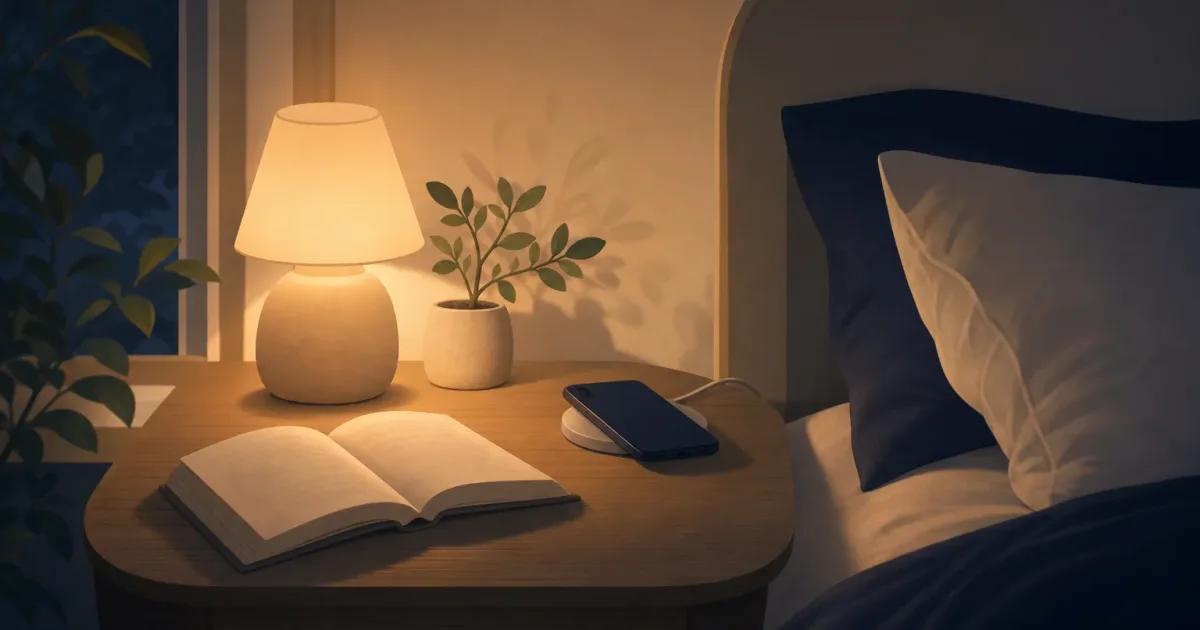
If the problem is a late-night feed, start with a replacement that is already nearby. A paperback, a notebook, tomorrow’s clothes, a shower, a simple stretch, or a familiar audio track can give the gap some shape. For more ideas that fit a short pause, see what to do instead of scrolling.
What should a wind-down routine without a phone include?
A good wind-down routine has a beginning, a middle, and an ending, so you do not have to decide what to do next while you are tired. The point is not to make evening productive. It is to make the phone-free part of it less empty.
Try this tonight, with no app required:
- Put your phone on charge outside the bedroom, or on a surface you cannot reach from bed.
- Set out one low-effort activity before you put it down: a book, a puzzle, a notebook, or clothes for tomorrow.
- Do one small closing task, such as washing a cup, brushing your teeth, or dimming the room.
- Spend the remaining time with the activity you chose.
- When you get into bed, leave the phone where it is, even if you do not fall asleep right away.
This is deliberately plain. You are building an off-ramp, not a performance. If reading feels like homework, do something with your hands. If silence makes your thoughts louder, try a familiar non-screen activity instead of forcing silence.
A simple sequence also makes it easier to notice where the phone returns. Maybe it comes back after brushing your teeth. Maybe it is the moment you lie down. That detail matters more than a daily total. You can use the iPhone Screen Time report as a clue, but it cannot tell you whether the use was work, connection, boredom, or a bedtime loop. Our guide to checking Screen Time on iPhone explains what the number can and cannot show.
For the wider set of choices around screens, attention, and boundaries, see our digital wellbeing guide.
Is blue light the main reason phones keep people awake?
Blue light can matter, but it is only one part of the picture. In a small randomized study, unrestricted evening use of a light-emitting tablet was associated with later self-selected bedtimes and changes in circadian timing compared with reading printed material. Read the study.
But light is not the only mechanism worth planning for. Your phone can delay sleep simply because the next clip, message, article, or search takes more time than you meant to give it. That is bedtime displacement: the bedtime moves because the activity continues.
The other mechanism is arousal. Content can leave your mind busy, annoyed, interested, worried, or eager to find one more answer. In a study of university students, phone use before bed for unstructured leisure and use involving emotionally charged content were each associated with different sleep difficulties. It was an observational study, so it cannot prove that phone use caused those outcomes, but it is a useful reason to separate the clock problem from the content problem. Read the study.
That distinction changes the fix. If you keep losing track of time, put a boundary around the apps or sites that stretch the evening. If certain posts, messages, or work tasks leave you keyed up, move those earlier, mute them at night, or choose a quieter replacement. Night Shift, grayscale, and lower brightness may change the feel of the screen, but they do not stop a conversation or a feed from taking another turn. For a closer look at the broader picture, read Screen Time and Sleep: What Actually Keeps You Up.
Should you start with fifteen minutes or an hour?
Start with fifteen minutes if an hour sounds like a rule you will ignore by tomorrow. A shorter boundary lets you practice the important parts: ending an app on purpose, putting the phone somewhere inconvenient, and doing the next thing without reopening it.
A study that asked participants to avoid phones for thirty minutes before bed found differences in self-reported sleep measures over several weeks, but it was a small pilot trial. It supports trying a boundary, not treating one exact duration as a universal answer. Read the trial.
Use the first few nights as information. If you put the phone away and immediately replace it with a laptop, television, or a work task, you have learned that the issue is not only the phone. If you do fine until you get into bed, the phone’s charging spot may matter more than a long evening rule.
You can lengthen the boundary when it starts to feel ordinary. Or you may decide that a short boundary is enough because it keeps the most distracting part of your phone use out of bed. There is no prize for copying somebody else’s ideal routine.
When is an app blocker useful before bed?
An app blocker is useful when you know what you mean to avoid but keep opening it by reflex. It is less useful when the real need is communication, an alarm, a podcast, navigation for an early morning, or a way to be reachable by someone important.
For a firmer boundary, iPhone Screen Time may be enough for some people. Others may prefer no tool at all: charge the phone elsewhere, use a separate alarm clock, and let the physical distance do the work. If a boundary needs flexibility, use a pause rather than a lock. If it needs to hold through a particular evening window, a scheduled block can make sense.
A screen time blocking tool can put a thirty-second reset before a Guarded app opens, so there is a moment to choose rather than an automatic jump into the feed. That kind of pause will not solve every late-night habit, but it can help with the first tap.
If you are comparing blockers, timers, and built-in limits, start with the comparison index and match the tool to the boundary you actually need.
The best plan is the one that still works after a long day. Keep the replacement visible, make the phone inconvenient at the point where you usually reach for it, and leave room for a real exception when life calls for one. If late-night scrolling is the specific loop, Why You Can’t Stop Doomscrolling at Night has more on choosing a replacement before evening starts.
Champ can add a deliberate pause before the apps you choose, if that is the boundary you want to try: download Champ.
Frequently asked questions
What is a simple wind-down routine without a phone?
Should I avoid my phone for an hour before bed?
Is blue light the only reason my phone keeps me awake?
What can I do instead of scrolling before bed?
Sources
- Jing-Wen He et al.. (2020). Effect of restricting bedtime mobile phone use on sleep, arousal, mood, and working memory: A randomized pilot trial. PLOS ONE
- Suresh C. Joshi, Jay Woodward, and Steven Woltering. (2021). Nighttime cell phone use and sleep quality in young adults. Sleep and Biological Rhythms
- Chang et al.. (2018). Unrestricted evening use of light-emitting tablet computers delays self-selected bedtime and disrupts circadian timing and alertness. Physiological Reports
- Champ. (2026). Screen Time Blocking on iPhone. Champ
Screen time guides and tools
One idea about screen time, every two weeks.
The Pause: a short note from the person who builds Champ. Occasional, not daily. Unsubscribe any time.